How to Register & Activate Salik Tag in Dubai - 2026
If you drive in Dubai, you need a Salik tag. It is a small sticker on your windscreen that pays your toll automatically as you pass through a gate. There are 10 Salik gates in the city, and you cannot avoid all of them for long. The good news is that the whole process is simple. Salik registration is completely paperless. There are no forms to fill in by hand and, in most cases, nothing to upload. You can buy the tag, register it, and activate it in a few minutes from your phone.read more
Salik Registration & Salik Account Activation in Dubai, UAE
Written ByNupur JainSenior Content Writer (Expertise - Motor Insurance)
Nupur Jain
Senior Content Writer (Expertise - Motor Insurance)
Nupur Jain is a Senior Writer at Policybazaar.ae with 4+ years of experience in the insurance industry. She specialises in car insurance and has built strong expertise in the UAE auto insurance industry by closely covering policy features, coverage options, premiums, renewals, claims, insurer offerings and vehicle ownership-related matters. Over the years, she has created 2000+ high-impact articles and covered 1000+ motor insurance topics, helping readers understand complex insurance jargons in a simpler and more practical way. Her work is focused on helping people compare options wisely, understand what truly matters in a policy and make more confident car insurance decisions based on their needs, budget and lifestyle in the UAE.
Reviewed ByToshita Chauhan BalochiChief Business Officer – General Insurance @ Policybazaar.ae
Toshita Chauhan Balochi
Chief Business Officer – General Insurance @ Policybazaar.ae
Toshita Chauhan Balochi has strong experience in the insurance and digital business space. At Policybazaar.ae, she works on making general insurance easier and more customer-friendly for people in the UAE. Her focus is on building simple, useful and transparent insurance journeys across motor, health and travel insurance products. She brings a clear business vision, strong industry understanding and a customer-first approach to the brand.
You can finish the entire Salik registration online. There are no paper forms anywhere in the process. If you buy your Salik tag from the Salik website or the Smart Salik App, it is activated automatically as soon as your payment goes through. You do not need to do anything else. You can start using the toll gates once you get the payment confirmation SMS.
If you buy the tag from a petrol station, a service centre, or the Careem app, you have to activate it yourself before you drive through a toll gate. You can do this on the Salik website, the Smart Salik App, or the RTA Dubai App. You can also dial 800 72545 or go to a Customer Happiness Centre.
Quick AI summary, verify if needed
Key Salik Registration Information
Parameters
Details
Tag price from a petrol station or sales agent
AED 102.50 (AED 52.5 for the tag including VAT, plus AED 50 prepaid toll credit)
Tag price online
AED 122.50 (same as the above, plus AED 20 delivery including VAT)
Registration and activation fee
Free
Where you can register
salik.ae, Smart Salik App, RTA Dubai App, Salik call centre, Customer Happiness Centres, and Salik Service Counters
How long it takes
A few minutes online, and around 10 minutes by phone or in person
Toll per crossing (from 1 June 2026)
AED 4.2 off-peak and AED 6.3 peak, with both including the 5% VAT
Free toll hours
1 am to 6 am, every day
Number of toll gates in Dubai
10
Fine for using a gate without a registered tag
AED 100 for the first trip, AED 200 for the second, AED 400 for each trip after that
Salik call centre
800 72545 (800 SALIK), open 24 hours
How to Register Salik in Dubai Online?
This is the fastest route. You buy the tag and complete the Salik registration in one go. The tag arrives at your door.
Step1- Go to salik.ae or open the Smart Salik App.
Step2- Choose the option to buy a Salik tag.
Step3- Enter your vehicle details from your Vehicle Registration Card.
Step4- Enter your UAE mobile number.
Step5- Salik sends you an OTP by SMS. Enter it to verify the number.
Step6- Enter the address where you want the tag delivered.
Step7- Pay online. You will get an SMS confirming the payment.
Step8- Your tag is activated automatically once the payment is processed. You can start using the toll gates from that moment, even before the tag reaches you.
Step9- When the tag arrives, stick it on your windscreen straight away.
Important: Online purchase is open only to individuals whose vehicles are registered in the UAE. If you have a fleet or a corporate account, call 800 72545 to ask about the online tag purchase service. Vehicles registered outside the UAE have to buy through an authorised sales agent instead.
Documents Required for Salik Registration
Salik registration is fully paperless. RTA stopped using paper application forms, in line with the Dubai Government paperless strategy. So in most cases, there is nothing to upload.
Situation
What You Need
Buying a tag online
No documents, just the vehicle details from your Vehicle Registration Card
Activating a tag you bought in person
Tag number, activation key, UAE mobile number, and vehicle details
Vehicle registered outside the UAE
Vehicle registration card details
Vehicle with export plates from an emirate other than Dubai
Vehicle registration card details
Company or fleet vehicle
Company vehicle details; carry your trade licence if you are registering in person
Registering at a Customer Happiness Centre
Your Emirates ID, Vehicle Registration Card and the Salik tag
Salik Tag and Registration Cost in 2026
Salik prices changed on 1 June 2026, when 5% VAT started applying to toll charges and tag activation fees. Salik Company announced the change on 22 May 2026. The VAT is collected under Federal Law No. 8 of 2017 and passed on to the Federal Tax Authority. The base tariff itself did not change. Only VAT was added on top.
What a Salik Tag Costs Now
Cost Item
Amount
Salik tag (including VAT)
AED 52.5
Prepaid toll credit added to your account
AED 50
Total at a petrol station or sales agent
AED 102.5
Delivery, if you buy online (including VAT)
AED 20
Total if you buy online
AED 122.5
Registration and activation
Free
Do Tags Bought Online Need to Be Activated?
Salik states that tags bought through the Salik website or the Smart Salik App are activated automatically once the payment is successfully processed. It also confirms you can use the toll gates as soon as you receive the payment confirmation SMS. Tags bought anywhere else are not activated automatically. If you picked up your tag at a petrol station, a service centre, or through Careem, activate it yourself before your first trip through a gate.
How to Activate Your Salik Tag?
There are five official ways to activate a Salik tag. All of them are free. Pick whichever suits you.
Activate Through the Salik Website
Step1- Go to salik.ae.
Step2- Open the Salik Services menu and choose Register and Activate a Salik Tag.
Step3- Enter your Salik tag number and activation key exactly as printed on the packaging.
Step4- Enter your vehicle and contact details.
Step5- Submit the form and complete every step until you see a message saying the transaction was successful.
Step6- You will receive an SMS with your account number and PIN.
Activate Through the Smart Salik App
The Smart Salik App is the official Salik app. Download it from the App Store or Google Play.
Step1- Open the app and log in. Sign up if it is your first time.
Step2- Choose the tag activation option.
Step3- Enter your tag number, activation key, and vehicle details.
Step4- Submit and wait for the confirmation.
Once your tag is active, you can use the same app to recharge and track your trips. The app also lets you download statements, manage your plates, and get alerts about low balance or unpaid trips.
Activate Through the RTA Dubai App
Step1- Log in to the RTA Dubai App.
Step2- Choose Salik, then Tag Activation.
Step3- Fill in the required details and submit.
After the tag is active, you can update your vehicle details through the same app.
Activate by Phone
This is the Salik Self Service option, which runs 24 hours.
Step1- Call 800 72545 (800 SALIK).
Step2- Follow the voice instructions and pick your language.
Step3- Give your tag number and the details asked for.
Step4- Keep going until you hear that the activation is complete.
This usually takes around 10 minutes.
Activate at a Customer Happiness Centre or Salik Service Counter
If you would rather do it face to face, visit an RTA Customer Happiness Centre or a Salik Service Counter. Hand over your documents at the counter, and the staff will activate the tag for you. This also takes around 10 minutes.
How to Create a Salik Account Online?
Activating your tag creates your Salik account. Setting up your online login is a separate, quick step. It is what lets you check your balance and manage everything yourself. After activation, you get your account number and PIN by SMS.
Step1- Go to salik.ae and choose the option to register as a new online user.
Step2- Choose to sign up using your account number.
Step3- Enter your account number and registered mobile number.
Step4- Enter the OTP sent to your phone.
Step5- Pick a username and password, then confirm.
That is the full process for how to create a Salik account. You can now log in on the website or the Smart Salik App with the same details.
How to Register Salik for a Company Car in Dubai?
Companies and government entities can register for Salik in the same way individuals do. Salik confirms that individual customers, companies, and government entities are all eligible for the registration and activation service. Here is what is different when you register Salik on a company car in Dubai:
The vehicle must be listed under the company traffic file. This is what the Salik account is linked to.
Buying a tag online through the standard route is only open to individuals. Fleet and corporate customers should call 800 72545 to ask about the online tag purchase service.
You can buy tags in person at any authorised sales agent using the company vehicle details.
Multiple tags can be under a single commercial account. So a company with several vehicles does not need a separate account for each one.
If you are registering at a Customer Happiness Centre, carry your company documents, including the trade licence and the Vehicle Registration Card.
How to Add a New Salik Tag to an Existing Account?
If you buy a second car, you do not need a new Salik account. Because your account is linked to your traffic file, you only need to activate the new tag. It joins your existing account automatically. You can add a vehicle through the Salik website, the Smart Salik App, the RTA Dubai App, the DubaiNow app, a Customer Happiness Centre, or the call centre on 800 72545.
Step1- Log in to salik.ae or the Smart Salik App.
Step2- Go to the Vehicles section.
Step3- Enter the new Salik tag number, the activation key, and your vehicle registration card details.
Step4- Submit and wait for confirmation.
The service is free. If you have more than one tag, you can use any one of them to complete registration and set up the account.
How to Install Your Salik Tag Correctly?
A tag that is stuck on badly will not be read at the gate. Here, you can be fined even if your account is active and funded. So it is worth taking a minute over this.
Clean and dry the inside of your windscreen where the tag will go.
Position the tag in the centre of the windscreen, roughly one centimetre below your rear-view mirror.
Peel off the liner from the sticky side.
Press one edge of the tag against the glass, then work slowly across to the opposite edge, rubbing as you go so no air bubbles get trapped.
If your windscreen has metallic tinting, place the tag on the dotted or lighter section in the centre of the tint strip. Keep the area around the tag clear of metallic stickers and devices, as these can block the signal. You only need one tag per vehicle.
How to Check Whether Your Salik Tag Is Active?
Log in to salik.ae. Check that the tag shows as active and is linked to your plate number.
Open the Smart Salik App and check your vehicle list and account status.
Use the balance check option on the Salik website. You can check by account number and PIN or by mobile number and plate number.
Call 800 72545 and follow the prompts.
Check your SMS. Salik sends a confirmation once registration is complete.
If you have not received a confirmation SMS and your tag does not appear online, contact Salik on 800 72545.
Common Salik Registration and Activation Problems
You drove through a gate before registering: You have 10 working days from that first trip to buy and register a tag. If you do not, the fines begin: AED 100 for the first trip, AED 200 for the second, and AED 400 for every trip after that. Only one violation is counted per day per vehicle.
Your balance ran out: If you cross a gate without enough balance and do not recharge within 5 days, a fine is added. Setting up auto top-up is the simplest way to avoid this entirely.
The gate is not reading your tag: Check the placement first. The tag should sit in the centre of the windscreen, just below the rear-view mirror. Make sure nothing metallic is near it, and that the tag is not damaged, peeling or scratched. If you moved the tag after sticking it on, it may no longer work. Then log in and confirm the tag is active and linked to the right plate.
You entered the wrong tag number or activation key: Both are printed on the tag packaging, although both are easy to mistype. Check each character and try again. If it still fails, call 800 72545.
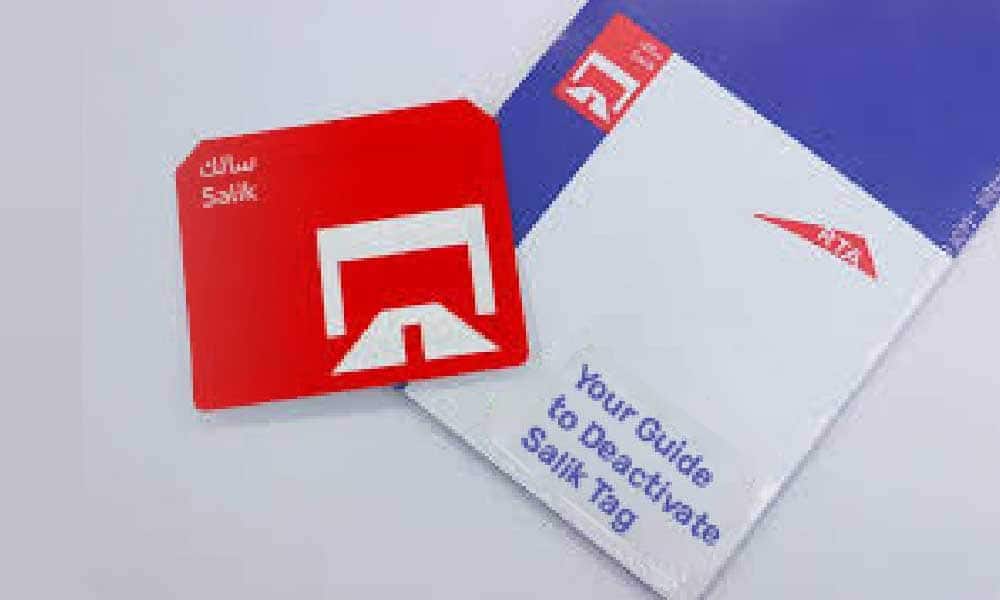
You lost the tag, or it was stolen or damaged: Deactivate it right away through salik.ae, the Smart Salik App, or the call centre, so nobody else runs up charges on your account. Then buy a replacement and activate it.
You tried to move a tag from an old car to a new one: This will not work. Tags are not transferable, and each vehicle needs its own. Trying to reuse a tag is a common cause of missed readings and unpaid tolls.
You never received your account number and PIN: These arrive by SMS on the mobile number you registered. If the SMS has not come through, check that the number on your account is correct, then call 800 72545.
Salik Quick Reference - All Official Contacts and Links
Service
Link / Contact
Official Salik Website
www.salik.ae
Salik Call Centre
800 72545 (toll-free, 24/7)
Salik Tag Activation Online
www.salik.ae > Salik Services > Register and Activate a Salik Tag
Yes. Registering and activating a Salik tag costs nothing. You only pay for the tag itself and the prepaid toll credit.
How long does Salik activation take?
A few minutes online. It takes around 10 minutes if you do it by phone or in person at a Customer Happiness Centre or Salik Service Counter.
Do I need to activate a tag I bought online?
No. Tags bought on the Salik website or the Smart Salik App are activated automatically once your payment is processed. It is still important to log in to confirm the status before your first trip.
Can I use the toll gates before my tag arrives in the post?
Yes, if you bought it online. Salik confirms you can use the gates once you receive the payment confirmation SMS. Stick the tag on as soon as it arrives.
Do I need to upload documents to register?
Not for an online tag purchase. You only enter your vehicle details. Vehicles registered outside the UAE and vehicles with export plates from an emirate other than Dubai need vehicle registration card details.
Can I register more than one car under one Salik account?
Yes. Your account is linked to your traffic file, so all vehicles registered in your name in Dubai are under one account. A vehicle registered in another emirate falls under a separate traffic file and needs its own account.
Can I transfer my Salik tag to another car?
No. Tags are not transferable. Every vehicle needs its own tag.
How do I register Salik on a company car in Dubai?
The process is the same, but the vehicle must sit under the company traffic file. Fleet and corporate customers should call 800 72545 about the online tag purchase service. Multiple tags can be held under one commercial account.
What happens if I drive through a gate without a registered tag?
You get 10 working days from that first trip to register. After that, the fines are AED 100, then AED 200, and AED 400 for each subsequent trip, with a maximum of one violation per day per vehicle.
How much is a Salik tag in 2026?
AED 102.50 from a petrol station or sales agent, and AED 122.50 online with delivery. Both figures include VAT.
Can I recharge my Salik account from outside the UAE?
Yes. You can recharge on salik.ae or the Smart Salik App with a credit or debit card from anywhere.
Does my Dubai Salik tag work in Abu Dhabi?
No. Abu Dhabi uses a separate system called Darb, which reads number plates rather than tags.
How many Salik toll gates are there in Dubai?
Ten. They are Al Barsha, Al Safa North, Al Safa South, Al Garhoud Bridge, Al Maktoum Bridge, Al Mamzar North, Al Mamzar South, Airport Tunnel, Jebel Ali, and Business Bay Crossing.
Variable Toll Pricing Introduced Salik Company P.J.S.C. introduced variable toll pricing across all Salik gates from January 31, 2025. Under this system, drivers pay AED 6 during peak hours, AED 4 during low-peak hours, and no toll during late-night free hours. The aim is to support smoother traffic movement across Dubai’s road network.
January 31, 2025
Two New Toll Gates AddedTwo new Salik gates became operational on November 24, 2024: Business Bay Crossing on Al Khail Road and Al Safa South on Sheikh Zayed Road. Their addition brought the total number of Salik gates in Dubai to 10. A one-hour rule applies between Al Safa North and South, similar to Al Mamzar North and South.
November 24, 2024
Salik Registration Remains PaperlessRTA discontinued paper-based Salik registration forms. It moved Salik registration and activation to digital channels. Drivers can activate tags, recharge accounts, add vehicles, request statements, apply for exemptions, and object to violations through Salik’s online services.
Invalid Date
More From Car Insurance
Similar Articles
Recent Articles
Popular Articles
Last Updated : 12 Aug 2026How to Transfer Car Insurance to a New Owner in UAEKnow how to transfer car insurance to a new owner in the UAE. Check the transfer process, required documents, NCB rules, fees and what to do when selling a car.
Last Updated : 03 Sep 2026Electric Car Insurance 2026 | Compare EV Car Insurance UAEElectric Car Insurance - Compare & Buy Online Electric vehicle (EV) car insurance in UAE at lowest price. Check cost, types, addons, documents, and more.
Last Updated : 04 Aug 2026Non-GCC Car Insurance | Insurance for Non GCC Cars in UAENon-GCC Car Insurance - Know how to buy insurance for Non GCC cars in Dubai, UAE. & also know why vehicle insurance is expensive for Non-GCC cars.
Last Updated : 31 Jul 2026Engine Damage Repairs and Auto Insurance CoverAn engine is the most important part of your car and it’s nothing to be pointed out separately. It is what imparts your sweet ride life. Being the most important part of the car, engines, their parts and the repair
Last Updated : 22 Jan 2026Are you New Driver Looking for Car Insurance in the UAE?First of all new driver has large responsbility on road before running the tyres should also keep in mind that would not be able to get your vehicle registration renewed without having insurance proof. Learn more at PolicyBazaar.ae
Last Updated : 30 Apr 2026How to File Your Car Insurance Claim in the UAEHow to file a car insurance claim in the UAE for theft, accident, or natural calamities? Read this article to learn how to submit your claim step by step.
Last Updated : 24 Aug 2026Emarat Car Wash in Dubai 2026: Services, Prices & LocationsExplore Emarat car wash services in Dubai, including prices, available services and locations. Find convenient Emarat car wash options for your vehicle.
Last Updated : 24 Aug 2026 Manual Car Wash in Dubai 2026 - Cost & Top PlacesFind the best manual car washes in Dubai, including prices, services, and top locations for a thorough and affordable car cleaning.
Last Updated : 24 Aug 2026Touchless Car Wash Dubai 2026 | Cost, Benefits & LocationsExplore touchless car wash services in Dubai, including prices, benefits and best locations. Know how touchless cleaning keeps your car clean without scratches.
Last Updated : 17 Aug 2026Waterless Car Wash Dubai 2026 | Cost & How It WorksExplore waterless car wash in Dubai, including 2026 rules, how to work, costs, benefits and eco-friendly cleaning methods. Know how to clean your car while saving water.
Last Updated : 17 Aug 2026Elite Car Wash Dubai : Services, Prices and LocationsExplore Elite Car Wash Dubai services, prices, and locations. Find available car wash options, costs, and key details to choose the right service for your car.
Last Updated : 09 Sep 2026How to Check Car Insurance Status Online in UAE - 2026Check Car Insurance Status Online - Checking your vehicle insurance status online in UAE with these methods RTA Website , EVG , MoI ,Policybazaar.ae & more.
Last Updated : 31 Jul 202610 Best Car Insurance Companies in Dubai, UAE - 2026Checkout the list of top 10 best car insurance companies in Dubai, UAE with their products & service benefits that they offer so you can choose best as per your needs.
Last Updated : 21 Jul 2026Abu Dhabi Traffic Fines 2026 - Complete List, Payment & MoreGet the updated list of Abu Dhabi traffic fines for 2026, including speeding fines, number plate violations, reckless driving penalties, and more. how to check and pay Abu Dhabi Police traffic fines online.
Last Updated : 15 Jun 2026Abu Dhabi Parking SMS - Format, Codes, Types, Charges, How to PayGet the Comprehensive Guidance for SMS Parking in Abu Dhabi. Also know how to Pay for MAWAQIF Parking, Parking types and charges, Code List, Benefits, Extensions, & more about Abu Dhabi Parking SMS.
Last Updated : 19 Aug 2026How to Check Black Points on Your Licence in Dubai | 2026 GuideCheck black points on your Dubai driving licence online through Dubai Police, RTA,MOI UAE App, & more. Know the steps, required details, 24-point limit and penalties.





.webp)








-in-car-insurance.jpg)













.jpg)





 Google Reviews