How to Find Your Car Insurance Policy Number in UAE?
Your car insurance policy number sits on your policy schedule (the PDF your insurer emailed you), inside your insurer's app or website and in the SMS or email you got the day you bought the cover. Lost all of those? Call your insurer, give your Emirates ID and car plate or chassis number and they will read the number back to you in minutes.read more



4.7/5
43,725
 Reviews
Central Bank UAE Registration No.: - 123
Insurance Partners
Trusted Customers
Policies Sold
.webp)


Best Car Insurance in UAE
Some of the best and the cheapest car insurance quotes in Dubai are:
Where Can I find My Car Insurance Policy Number in UAE?
There are four reliable places. Start with the first one that applies to you.
1. On your policy schedule or certificate (email)
When you buy or renew motor cover in the UAE, the insurer emails you a policy schedule, usually as a PDF. Your policy number is printed on the first page.
To find it fast —
- Open your email app.
- Search for “policy,” “certificate,” “insurance” or your insurer's name.
- Open the PDF and look near the top for “Policy Number.”
- Check your spam and junk folders if nothing shows up.
2. On your insurer's app or website
Every licensed UAE insurer has a customer login. Once you are in, your policy number is listed under your active plans.
- Open the insurer's app or website.
- Log in with your Emirates ID, registered email or a mobile OTP.
- Go to “My Policies” or “My Insurance.”
- Your motor policy number shows next to your car.
3. In the SMS or email you got when you bought the policy
Many insurers send a confirmation SMS or email the moment your cover starts. It often carries the policy number, the start date and the car details. Search your messages for the insurer's name or the word “policy.”
4. Through your broker or comparison site
Did you buy through a broker or a price comparison site? They keep a copy of your policy. Contact them with your Emirates ID and car details and they can resend your policy document with the number on it.
|
Good habit - Save your policy PDF in a phone folder and take one screenshot of the policy number. You will reach for it at renewal time, at registration and right after any accident. |

How Do I Find My Policy Number through a UAE Government Portal?
Government portals are built mainly to show your insurance status — whether your cover is active, who your insurer is and when it expires. Some screens also show the policy number. For the exact number, your insurer's document or app is still the most reliable source.
Pick the portal for the emirate where your car is registered.
1. RTA and Dubai Drive (Dubai)
If your car is registered in Dubai, the RTA website and the RTA Dubai app show your vehicle and its linked insurance.
- Open the RTA Dubai app or website and sign in with UAE PASS.
- Go to Vehicle Licensing or Vehicle Status Inquiry.
- Select your car to see registration and insurance details, including your insurer and expiry date.
2. TAMM (Abu Dhabi)
TAMM is Abu Dhabi's official services platform. Log in with UAE PASS to see your Mulkiya, registration status and insurance validity in one place.
3. Emirates Vehicle Gate, EVG (all emirates)
EVG lets you look up details of your current car insurance policies and manage motor claims. Log in with your traffic code number or UAE PASS, then open the insurance section.
4. MOI UAE app (all emirates)
The Ministry of Interior app works across the country. Sign in, open Traffic and Licensing, tap My Vehicles and select your car to view its registration and linked insurance.
|
Important - If a portal shows your insurer's name but not the full policy number, note the insurer, then call them or open their app to read the exact number. |
How Do I Find My Policy Number if I Lost All My Documents?
Stay calm as this is the most common case and it is easy to fix. Your insurer can read your policy number back to you once they confirm who you are.
Call your insurer's helpline and have these ready —
- Your Emirates ID number.
- Your car plate number or the chassis (VIN) number.
- The registered mobile number or email on the policy.
Not sure which insurer you are with? See the next section first — a government portal can tell you the insurer's name, and then you call them.
Can I find My Policy Number Using Only My Emirates ID?
Yes. Your Emirates ID is linked to your records across UAE systems. You can use it two ways —
- Call your insurer or broker. They verify your identity with your Emirates ID and read out the policy number.
- Log in to the insurer's portal or app using your Emirates ID, then open My Policies.
Your Emirates ID number is not your policy number, but it is the key that unlocks it.
Why Do You Need Your Car Insurance Policy Number?
You need it more often than you think. It is the first thing asked at four key moments —
- Filing a claim after an accident or theft.
- Renewing your policy and your car registration.
- Registering or transferring a vehicle, since valid motor insurance is required.
- Confirming your cover is active before a long drive or a road trip.
Is My Policy Number the Same As My Emirates ID, Chassis or Mulkiya number?
No. These are four different numbers and people mix them up all the time. Here is what each one is for —
You can often use the Emirates ID, chassis or Mulkiya number to look up your insurance. But none of them is your policy number.
| Related Links |
|---|
| Best Car Insurance Companies in Dubai |
| Chassis Number Check UAE |
| How to Check Car Insurance Status Online |
FAQ's
Where can I find my insurance policy number?
Your policy number is on your policy schedule PDF (sent by email), inside your insurer's app or website under “My Policies”and in the SMS or email you received when you bought the cover. If you cannot find any of these, call your insurer with your Emirates ID.
How do I check my policy number if I forgot it?
Call your insurer's helpline and give your Emirates ID and car plate or chassis number. After they verify your identity, they read the policy number back to you. You can also log in to the insurer's app and open your active policy.
How can I find my policy number with my plate number?
Sign in to the RTA app (Dubai), TAMM (Abu Dhabi), EVG or the MOI app using UAE PASS or your traffic code. Open your vehicle record to see your insurer and cover status. Then contact that insurer for the exact policy number.
How do I find which insurance company I am with?
A government portal such as RTA, TAMM, EVG or the MOI app shows the insurer's name linked to your car. Your bank statement also shows the payment to the insurer. Once you know the company, call them with your Emirates ID.
Is my policy number the same as my Emirates ID number?
No. Your Emirates ID is issued by the UAE government to prove your identity. Your policy number is issued by your insurance company to identify your car cover. They are different numbers, though your Emirates ID can be used to look up your policy.
Can I find my policy number online for free?
Yes. Logging in to your insurer's app or website is free and so are the government portals (RTA, TAMM, EVG, MOI). You only need your login details or your Emirates ID, plate or traffic code number.

More From Car Insurance
- Recent Articles
- Popular Articles
 Last Updated : 17 Aug 2026Waterless Car Wash Dubai 2026 | Cost & How It WorksExplore waterless car wash in Dubai, including 2026 rules, how to work, costs, benefits and eco-friendly cleaning methods. Know how to clean your car while saving water.
 Last Updated : 17 Aug 2026Mobile Car Wash in Dubai: Best Home Car Wash Services & PricesExplore mobile car wash services in Dubai, including home car wash options, prices, benefits, and how to choose the right service for your car.
 Last Updated : 17 Aug 2026Elite Car Wash Dubai : Services, Prices and LocationsExplore Elite Car Wash Dubai services, prices, and locations. Find available car wash options, costs, and key details to choose the right service for your car.
 Last Updated : 17 Aug 2026Self-Service Car Wash in Dubai - Types, Prices, Locations, and RulesExplore self service car wash options in Dubai, including types, prices, locations, rules, and how to wash your car yourself at affordable rates.
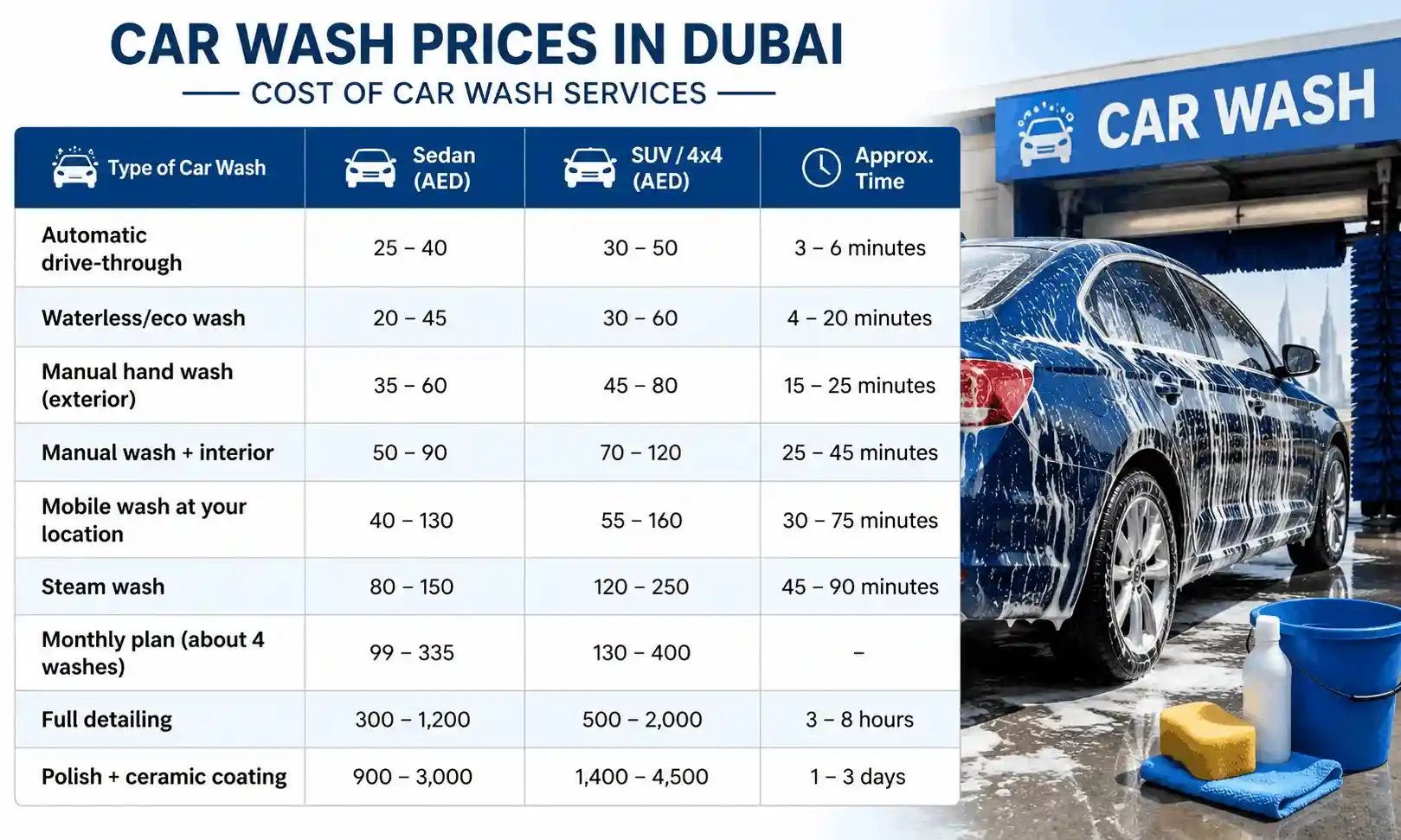 Last Updated : 17 Aug 2026Car Wash Prices in Dubai: Cost of Car Wash Services in 2026Check car wash prices in Dubai for 2026. Compare the cost of different car wash services, including mobile, steam, automatic, and detailing services.
 Last Updated : 17 Aug 2026ADNOC Car Wash in Dubai 2026 - Locations, Services Offer, Cost & MoreFind ADNOC car wash locations in Dubai, explore available services, prices, offers, and more. Check everything you need to know before visiting an ADNOC car wash.
 Last Updated : 04 Jun 2026How to Check Car Insurance Status Online in UAE - 2026Check Car Insurance Status Online - Checking your vehicle insurance status online in UAE with these methods RTA Website , EVG , MoI ,Policybazaar.ae & more.
- Last Updated : 31 Jul 202610 Best Car Insurance Companies in Dubai, UAE - 2026Checkout the list of top 10 best car insurance companies in Dubai, UAE with their products & service benefits that they offer so you can choose best as per your needs.
 Last Updated : 24 Mar 2026How to Transfer Vehicle Ownership in UAE - Process, Documents, FeesTransfer Car Ownership in UAE - Checkout Step by step guidance to transfer your car registration & ownership when you are selling or buy used cars in UAE
 Last Updated : 21 Jul 2026Abu Dhabi Traffic Fines 2026 - Complete List, Payment & MoreGet the updated list of Abu Dhabi traffic fines for 2026, including speeding fines, number plate violations, reckless driving penalties, and more. how to check and pay Abu Dhabi Police traffic fines online.
.jpg) Last Updated : 15 Jun 2026Abu Dhabi Parking SMS - Format, Codes, Types, Charges, How to PayGet the Comprehensive Guidance for SMS Parking in Abu Dhabi. Also know how to Pay for MAWAQIF Parking, Parking types and charges, Code List, Benefits, Extensions, & more about Abu Dhabi Parking SMS.
Last Updated : 15 Jun 2026Abu Dhabi Parking SMS - Format, Codes, Types, Charges, How to PayGet the Comprehensive Guidance for SMS Parking in Abu Dhabi. Also know how to Pay for MAWAQIF Parking, Parking types and charges, Code List, Benefits, Extensions, & more about Abu Dhabi Parking SMS. Last Updated : 19 Aug 2026How to Check Black Points on Your Licence in Dubai | 2026 GuideCheck black points on your Dubai driving licence online through Dubai Police, RTA,MOI UAE App, & more. Know the steps, required details, 24-point limit and penalties.




 Google Reviews